
The concept examined here is a feature-level overview of a cloud accounting platform focused on small business bookkeeping in the United States. This overview describes core functional areas such as customer invoicing, expense capture, reconciliation of bank activity, inventory controls, basic financial reporting, client records, and rule-based automation. The intent is informational: to clarify what kinds of bookkeeping tools are commonly available within a single platform and how those tools relate to the day-to-day recordkeeping tasks a typical US small business may encounter.
This analysis focuses on how distinct modules are used together for bookkeeping workflows rather than on vendor selection or purchasing decisions. It considers integrations that commonly apply in the United States, such as bank feeds, payment processors, point-of-sale connections, and payroll data sources. The content aims to show functional roles—how an invoicing module may interact with accounts receivable ledgers, how inventory tracking can affect cost-of-goods-sold calculations, and how automation rules can reduce manual entry.
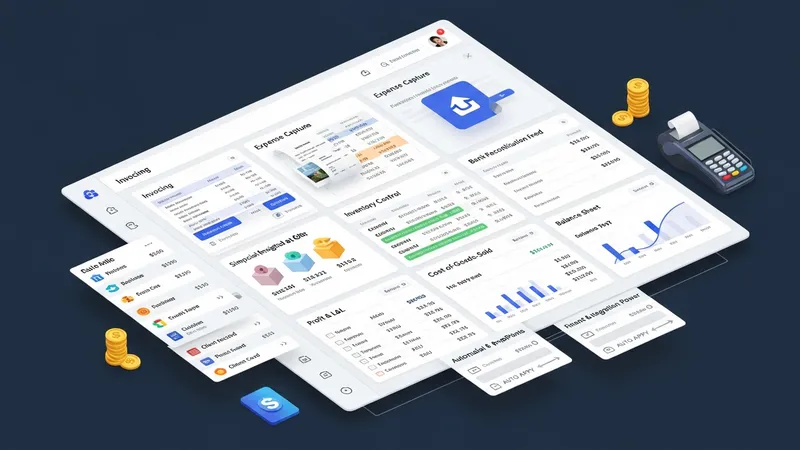
Invoicing modules typically include templates, line-item detail, and status indicators (e.g., sent, viewed, paid). In a US small business setting, invoicing features may also show sales tax fields for state-level compliance and integrate with common payment methods such as ACH, credit card, or third-party processors. When invoices are linked to customer records, the bookkeeping system may update accounts receivable automatically and provide aging reports. These functions can help produce the transactional detail often used for monthly bookkeeping and for preparing summaries relevant to tax filings.
Expense capture tools often combine manual entry with photo-based receipt uploads and OCR to extract vendor, date, and amount. For US firms that manage varied vendor types, categorization is important because it influences expense classification on tax-related reports and internal P&L statements. Many bookkeeping platforms allow rule creation so repetitive expenses are categorized consistently. This may reduce reconciliation effort, but settings should be reviewed periodically to confirm they match current account structures and tax reporting needs.
Bank reconciliation features typically operate by importing statements or live bank feeds and proposing matches to recorded transactions. In the United States, typical patterns include reconciliation of checking accounts, credit card accounts, and merchant service deposits. Reconciliation workflows may flag uncleared items, duplicate entries, or transfers that require attention. Accurate reconciliation often supports reliable cash-basis and accrual reporting and can be relevant when preparing payroll tax deposits or year-end adjustments aligned with US accounting practices.
Inventory controls in small business bookkeeping often range from simple quantity tracking to basic cost-of-goods-sold calculations tied to sales entries. For US sellers, inventory management may affect sales tax collection and the timing of cost recognition. Platforms that support SKU-level data and stock movement recording can often produce valuation reports that inform profit analysis. When inventory integrates with invoicing and purchase records, the bookkeeping system may provide more consistent expense recognition and clearer margin reporting without manual spreadsheets.
Customer management and automation features typically include basic CRM fields, payment reminders, and rule-based transaction coding. These features can reduce manual bookkeeping tasks by auto-applying categories or moving invoices to specified aging buckets. In a US regulatory environment, automation may also help maintain consistent sales tax treatments or flag transactions that need additional documentation. The next sections examine practical components and considerations in more detail.
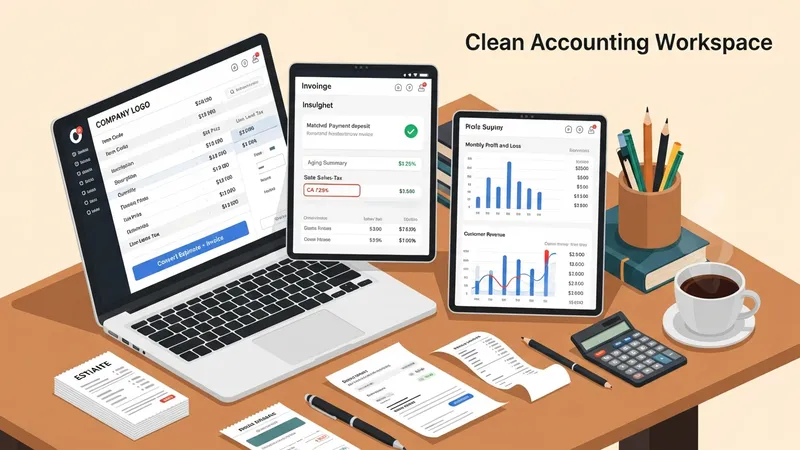
Invoicing and billing functions in the examined platform often permit creation of invoice templates, application of sales tax, and linking of payments to customer accounts. For US businesses, states and localities may have different sales tax rates, so bookkeeping entries may include jurisdictional fields; small firms often track these to support sales tax returns. The invoicing area may also store payment terms and track aging. Where integrated payment processing is available, deposits recorded by a processor can be matched to invoice receipts to reduce reconciliation work.
Estimate and quote tools commonly convert accepted estimates into invoices while preserving historical proposal records. This conversion reduces duplicate entry and can support clearer revenue recognition for services or project-based work typical among US small firms. Invoices may include line-level tax treatment and item descriptions tied to inventory or service codes. For bookkeeping, consistent line-item detail helps when preparing periodic summaries such as monthly profit-and-loss statements or customer revenue reports.
Payment tracking features often show partial payments, credit memos, and unapplied receipts that bookkeeping staff may need to resolve. For US-based operations, common payment flows include ACH deposits for recurring clients, credit card payments through merchant accounts, and manual checks that appear on bank statements. Bookkeeping workflows typically require matching these incoming items to open invoices and adjusting accounts receivable, which the platform may facilitate through suggested matches and clearing actions.
Invoicing modules may expose reporting views useful for bookkeeping review, such as invoice aging, customer balances, and sales by item or service. These reports can be used to prioritize collections or to validate revenue recorded in general ledger accounts. When integrated with automated reminders, invoicing modules may reduce time spent on follow-up while preserving a clear audit trail of communications and payment attempts, which is often beneficial for US recordkeeping standards.
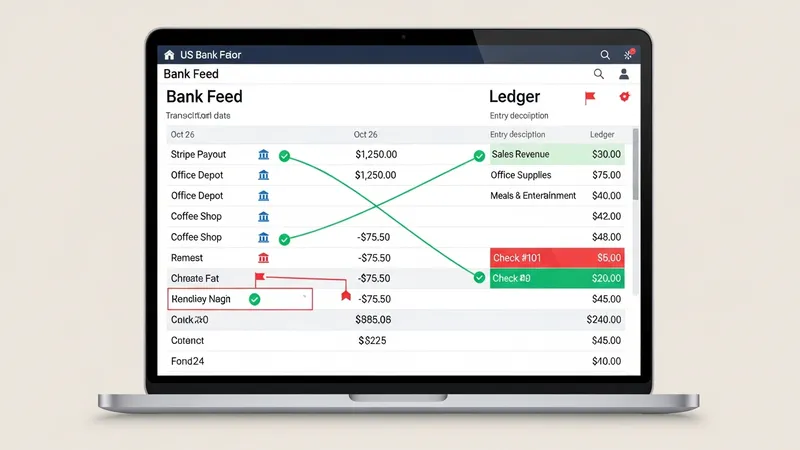
Bank reconciliation features in bookkeeping platforms typically import transactions from US banks through secure feeds or manual statement upload. Reconciliation workflows propose matches between imported transactions and recorded entries, and may flag mismatches such as uncleared checks or bank charges. For US small businesses, reconciling monthly or weekly is a common practice to maintain accurate cash balances and to detect errors or fraud. Reconciliation interfaces may also permit clearing of transfers between internal accounts and adjusting entries for fees or interest.
Integration with payment processors and merchant accounts helps reconcile deposits and fees. In the United States, merchant deposits may aggregate multiple sales into single bank deposits; a bookkeeping platform that records settlements and associated processing fees can simplify matching these aggregated amounts to individual invoices. Additionally, automatic import of bank feeds reduces manual CSV handling, though periodic review remains a typical control to ensure categorization rules remain aligned with account mappings.
Transaction matching rules often use vendor names, amounts, and dates to suggest reconciliations; these rules can be customized to reflect common vendor naming conventions in the US. For bookkeeping accuracy, it is common to maintain a chart of accounts structure that distinguishes operating expenses, cost of goods sold, payroll-related accounts, and tax liabilities. Properly mapped accounts support clearer reconciliation and more accurate period reporting when imported bank activity is assigned to the correct ledger categories.
When automated bank matching fails to resolve items, bookkeeping users typically perform manual reconciliation steps such as split transactions, recorded deposits in transit, or adjustment entries for bank fees. Keeping a documented reconciliation process and notes on adjustments can help when preparing materials for tax professionals or when responding to inquiries from US regulatory authorities. These practices may improve transparency of the bookkeeping records over time.
Inventory features in small business bookkeeping software often range from quantity tracking to basic valuation methods that feed into cost-of-goods-sold calculations. For US retailers and manufacturers, maintaining accurate SKU-level data and recording purchases and sales helps reconcile inventory counts and assess gross margins. Bookkeeping entries commonly reflect purchase records, sales invoices, and adjustments for shrinkage or returns. When inventory items are linked to invoicing, a sale can automatically reduce stock and post the corresponding COGS entry in the ledger.
Valuation methods—such as average cost or specific identification—may be supported at a basic level; selection affects reported cost of goods sold and ending inventory values that appear on balance sheets and profit statements. US tax accounting may require particular treatments depending on the business and tax election; bookkeeping platforms may provide the data needed for tax preparers but typically do not substitute for tax advice. Regular stock counts and reconciliations may be suggested to reconcile physical inventory with recorded balances.
Purchase order and supplier tracking functions in the inventory area can improve visibility into on-order quantities and expected costs. For US operations managing multiple suppliers, purchase records help match received goods to vendor invoices and can assist in calculating landed costs if shipping and duties are relevant. Linking purchase records to inventory receipts and accounts payable entries is a common bookkeeping practice that supports accurate liability tracking and inventory control.
Reporting views commonly include inventory valuation, turnover rates, and gross margin by product or category. These bookkeeping reports may be used by small business owners and their accountants to monitor stock performance and to plan replenishment. In bookkeeping contexts, clear SKU naming and consistent categorization reduce reconciliation errors and support smoother period-end procedures for US financial reporting.
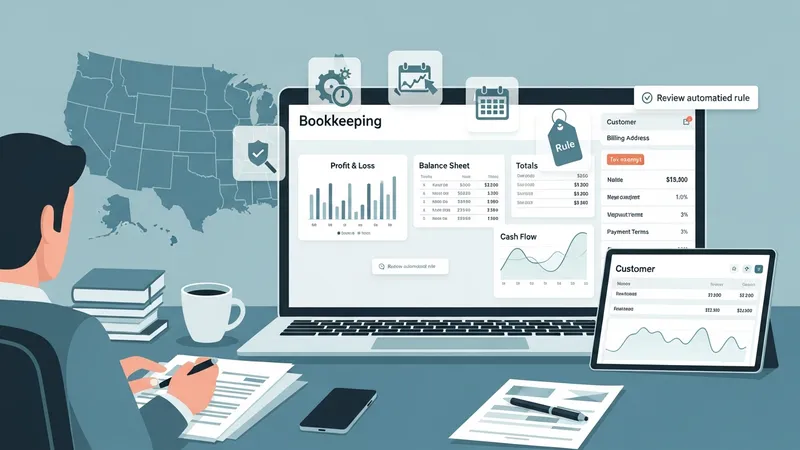
Financial reporting modules in bookkeeping platforms typically produce basic statements such as profit and loss, balance sheet, and cash flow summaries. For US small businesses, these reports may be used to prepare tax information or to share with lenders and advisors. Customer management features often store billing addresses, tax-exempt status, and payment terms; these data points can be important for accurate invoicing and for applying the correct sales tax treatment across US jurisdictions. Consistent customer records support clearer accounts receivable tracking.
Automation features often include transaction rules, recurring invoices, and scheduled reminders that can be set to run without manual initiation. In bookkeeping practice, these automations may reduce repetitive entry for regular transactions while still requiring periodic review to confirm continued accuracy. Automated classification rules can assign expenses to the same account when vendor patterns recur, but users typically validate these rules at intervals to avoid drift in bookkeeping categories.
Many US bookkeeping workflows incorporate periodic checks such as reconciliations, review of aged receivables, and verification of payroll liabilities. Reports produced by the platform may assist with these checks by summarizing key balances and outstanding items. When automation is used, keeping an audit trail or log of automated actions can help explain adjustments during account reviews or when preparing records for an external reviewer or tax preparer.
Customer management and integrated reporting together may provide insights into revenue by customer, outstanding balances, and payment trends that inform bookkeeping priorities. While automation can streamline routine tasks, small businesses commonly pair automated bookkeeping functions with scheduled manual reviews to ensure records remain aligned with US accounting norms and with any specific reporting needs for taxes or financing.

Operational bookkeeping workflows commonly involve routine cycles: recording daily sales and expenses, weekly bank reconciliation, and monthly financial close tasks. In US small business practice, establishing a cadence for these activities helps maintain up-to-date ledgers and supports timely reporting for tax preparation. For example, reconciling bank and credit card accounts weekly may help detect discrepancies earlier, while monthly review of P&L and balance sheet items may inform adjustments before year-end closing procedures.
Internal controls in bookkeeping often include separation of duties where feasible, reconciliation documentation, and periodic review of automated rules. In a small US firm, roles may overlap, but maintaining checklists and audit logs in the accounting platform can support accountability. Additionally, retaining supporting documents such as invoices and receipts—often attached digitally to transactions—may assist during tax preparation or in response to inquiries from accountants or lenders.
When integrating external services—merchant processors, payroll providers, or point-of-sale systems—mapping incoming data to the chart of accounts is a common consideration. Accurate account mapping influences the quality of bookkeeping reports and can reduce the need for manual corrections. For example, ensuring payroll liabilities are recorded separately from gross payroll expense helps maintain clearer liability and expense reporting, which is often relevant for US payroll tax compliance.
Finally, small businesses often plan bookkeeping review cycles that coincide with key reporting deadlines such as estimated tax payments or quarterly payroll deposits. Using a bookkeeping platform to generate the necessary summaries may simplify compilation of information for tax preparers or financial advisors. Continued review of category mappings, automation rules, and integration settings may help maintain reliable bookkeeping records over time.